
3D Sand Tray Explorer: A Virtual & Online Sandtray Activity
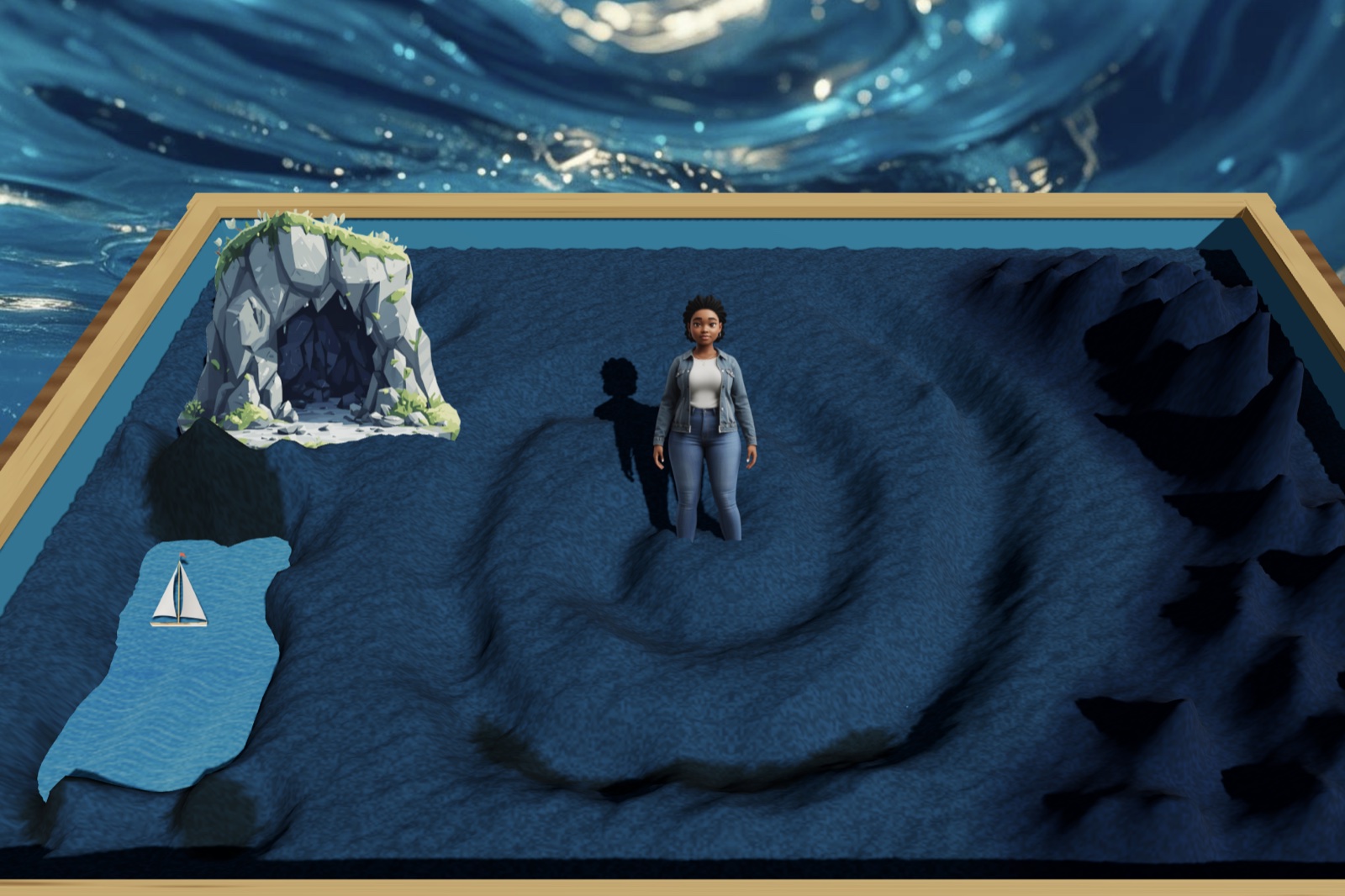
What if you or your clients could actually dig and sculpt sand, arrange miniatures, and bury objects underground, all online? The 3D Sand Tray Explorer gets pretty close to making a virtual sand tray feel like the real thing.
This particular tray from Online Therapy Tools has a lot of cool features. Along with digging, you can change the sand color, adjust the background, create animated weather, pour water, and more. One thing I like about it is the ability to change the settings. So if you want to keep the tools simpler for your clients, or hide certain miniature categories for whatever reason, you always can.
Below I've included an overview of how to use the 3D Sand Tray Explorer in particular, as well as basic theory and tips on how to use online sand trays in general. From what I've found in my research, it's the most advanced and realistic option available (but also has options to simplify the features if needed so it doesn't overwhelm your clients).
Features of the 3D Sand Tray Explorer
First, let's start with the specific features of this tool. I know there are a few different digital sand trays out there that vary from straightforward drag and drop tools to more realistic animations. Here are the features you'll find with the 3D Sand Tray Explorer tool, created specifically for virtual therapy sessions.
Diggable Sand
Many of the older and more well known virtual sand trays use a flat background of sand to simulate the authentic experience. However with this tool you can actually dig in sand particles to create holes, bury miniatures, or get down to a flowing water level underneath. This offers a more hands-on and tactile experience than most of the other online sand trays available don't quite have.
Sculptable Sand
So you can dig down, but what about building up? Dig tools within the sand tray allow users to create piles and shapes, and there are specific options to help with creating mountains and hills. I've seen clients create beautiful lake scenes, lush mountains, and dark forests. And sometimes the scenes have all three!
Expansive Miniatures
If you've done a lot of sandtray therapy you might have found that it's not necessarily about having the exactly right miniature collection, but offering a variety of options to choose from. You never know what figure might speak most to your client on a given day. This sand tray has more obvious minis such as stick people representing feelings as well as realistic humans, and more complex options like dark caves and mythical creatures.
Multiple Sand Colors
Interested in alternative sand colors like pink or black for your tray? You can rotate through various options in this tray to create just the right setting for your world. There are also sand colors that look like water, grass, and dirt. I find the grass one particularly cool!
Culturally Diverse Miniatures
It always bothers me when all of the people in a sand tray, virtual or in-person, look just alike. And let's be honest, the little perfectly arranged families that include exactly one mom, one dad, and two children of the same race, small body frames, and clothing style just aren't representative of real life. Our clients are complex, multi-cultural, and come from a background of diverse experiences. It's also common for kids to have multiple families due to parents being separated or living with other relatives or adoptive parents.
The 3D Sand Tray Explorer includes a wide variety of people representing different races, cultures, religions, genders, body sizes, and styles. Your clients can put together a family that looks more like theirs, using people that look familiar and meaningful.
Adjustable Miniatures for Size and Level
Users can also adjust the size of their miniatures, making them tiny or quite large, and rotating them around. They can also elevate them in the sky for any reason they like, or sink them down into the sand and then top them off with more sand on top.
Fun Backgrounds
Another cool feature of the Explorer is the option to change the backdrop scenery. Users can choose from a mythical forest, ocean, space, and more. This might match the setting they're going for, or just add variety and fun to the process.
Rotating Tray
It's possible to zoom in and out of the tray view as well as rotate and spin the tray. There's also a first-person option where you can "walk around" in the tray, although it's a bit tricky right now if there's a lot of tall terrain as you might end up walking through a mountain! But when it's a fairly basic scene my clients really enjoy entering the world of their tray and getting a more immersive experience. That's one thing you can't do in physical tray!
Customizable Settings for Therapists
As I mentioned, one cool setting is the ability to customize. This was an important feature to add, especially for more sensitive clients that might get overwhelmed with stimuli. You can limit the tools available, choose which miniature categories to display, or hide the miniatures altogether if you want to just offer the sand.
Getting Started with Online Sand Tray
Access the Platform
Login at Online Therapy Tools. You will need an account and a 30-day trial to get started, but that will give you plenty of time to decide how you like it. Once you sign up you can use it (along with tons of other tools) right away.
Open the Sand Tray
From your dashboard, scroll down and open the 3D Sand Tray Explorer. Note that there's an older drag and drop version of this tray, which is also fine to use, but it doesn't have the immersive sand and all the extra features.
Adjust the Settings (Optional)
If you like you can simplify the tools offered, hide the "Caution" category which has sensitive items like weapons, or hide any other category you prefer. Most of the time I just keep all of the categories available and go straight to the "Launch Tray" button.
Send a private link to your client
The Online Therapy Tools platform is set up for privacy, so nothing is tracked when your client visits and they don't have to log in. You will create a unique link just for them and that session by clicking the "Generate Client Link" button and pasting it into your platform chat (like the Zoom chat).
Have your client share their screen
Once your client has opened the link they can use the screen share tool so you can observe. This is available in Zoom and most other therapy platforms. In most programs this shows up as a "Share Screen" button at the bottom that your client can click on. Sometimes it offers an option to share a single browser or screen. It doesn't really matter which, as long as it shows you the sand tray. If they can't share for some reason or the platform doesn't have that available, I typically still have them use it and just explain a little more about their creations. That is a meaningful process as well.
Once your client has the sand tray pulled up they can enjoy all of the features of the miniatures and sand tools. Below I'll go into a few more details, but you don't really need the full explanation to get started. My clients typically stick with the basic tools at first anyway, and then explore a little more each session.
How to Guide a Virtual Sand Tray Session
Note that while this section has some specific tips for the 3D Sand Tray Explorer, many of these tips apply to in-person sand trays as well.
Explain the basic concept.
Often no explanation is needed, but I typically start by telling my clients that this activity provides a way they can create scenes and worlds in the sand. It can help them express their feelings or ideas in a visual or hands-on way. They can use the miniatures to create the scenes, or even just play in the sand if they prefer.
Then I say something like, "You can play around for a while if you like, or I can give you a prompt (or idea) of what to make." A good starting prompt is to have them pick 3 to 5 miniatures that represent something about them. Note that there are different theories and modalities relating to prompts (and some modalities that avoid them altogether). Visit here to learn more about sand tray prompts.
Tour the miniatures.
Next, I want to help my clients understand what miniatures are available. In person this may be on shelves, in cabinets, or in drawers. In the 3D Sand Tray Explorer they're organized on a virtual shelf above the sand tray, meant to feel similar to an in-person setting. Once you click a category it will show arrows to toggle to see more miniatures from that section. However I only point out categories, not particular miniatures. Unless there is an exception at play, I want to avoid influencing their choices as much as possible.
Mention the sand tools.
In person sand tools could include shovels or buckets. This virtual tool starts with basic digging, sculpting, and water tools. I mention these to my client but don't go over every tool right away because it would be overwhelming. If they are particularly into the sand aspects I will mention the other tools available once they've had a little time with the tray. To get familiar with these I suggest you simply go through them all yourself. (Tip: Make sure to check out the rain clouds and earthquake activator under the weather section!) Remember if you find these tools to be too much, just turn them off in the settings when you launch the tray.
Encourage exploration.
A key to sandtray, like with other expressive tools, is to be open, attentive, and interested. At no point am I critical or even helpful. For example, I don't say, "You might try to move that elephant in front of the tree so we can see it better," or "I think that would look great with a sun in the background." They are the creator and I'm there to observe.
If they are new to the tray, I might sometimes let them know about a miniature if I know they're looking for something in particular, or about a sand tool that might help with what they're making. Otherwise, my feedback during a sand tray session is mainly to show that I'm attentive.
I might say phrases such as, "Oh I see you moved that miniature up to the front," or "Your scene is really interesting. I love seeing what you create." To encourage processing I could say, "I'm really curious about the back part of the tray you added to."
See the difference between these responses? In some modalities they avoid even naming the miniatures. So not only would I not suggest moving the elephant, I wouldn't even call it an elephant. That's because it might represent something else entirely to the client.
However, many of my clients appreciate getting general prompts to start from. This is not the totally non-directive approach, but many therapists use it in targeted work. For example, if I'm exploring self esteem with a client I might ask them to create a tray that shows how they feel when they're most confident. An alternative to that is a tray that shows confidence on one side and low confidence on the other. Then I simply ask them about it. We might cap it off with a tray that shows how they can bring out their more confident side in everyday life. But if they'd rather not talk about their tray that's perfectly fine too.
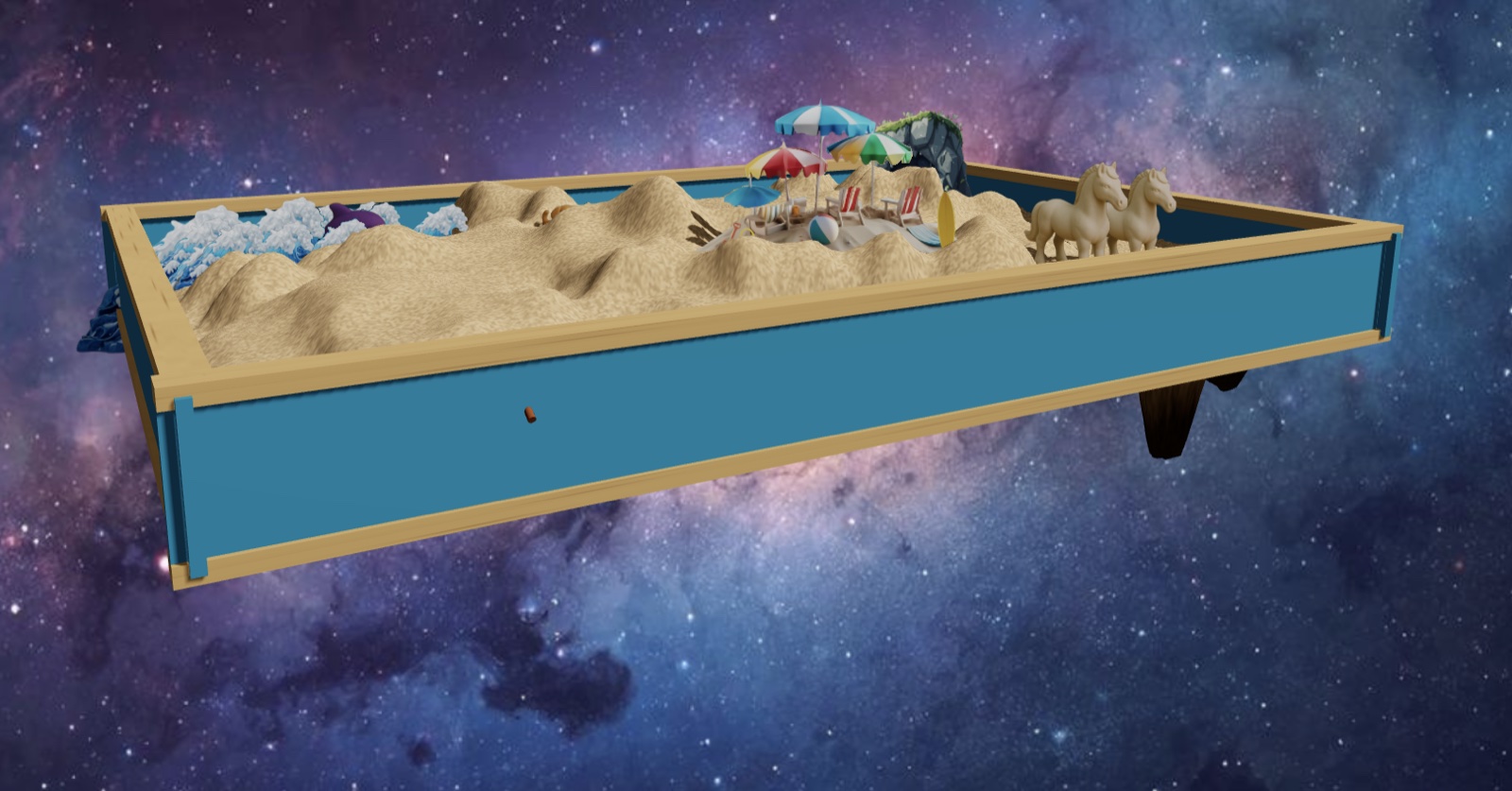
During a particularly fun session, I asked a client who really likes animals to create a scene where each family member was represented by an animal. She then explained to me her reasoning behind each choice. Boy did I learn a lot about her life in a short amount of time!
One thing I avoid is correcting them or pointing it out if they misunderstood the prompt. For example, if I offered a prompt to create a scene about their life without using people, and they immediately choose a mini that's a person, I'm not the slightest bit worried about it. Either they missed the direction or were compelled to use people anyway, which is informative. Ultimately it's their process, not mine.
Try it For Yourself
Interested in trying out the 3D Sand Tray Explorer? The best way to start is just to make some trays yourself. Use one of our sand tray prompt ideas and try it out. Once you're familiar with it you'll be able to confidently show it to clients. And if you would like to share what you make I'd be happy to observe. Just take a screenshot or click the "Download Image" button and send me a copy!
To get started, just visit www.onlinetherapytools.com and sign in or create an account. I'll look forward to seeing you there!
About the Author
Jennie Lannette Bedsworth, LCSW is a licensed therapist and the creator of The Counseling Palette, a trusted source for therapy games, group therapy activities, and printables. With two decades of experience in the mental health field, Jennie designs printable and online resources that make therapy engaging, effective, and accessible for all ages. Browse our collection of online therapy tools for meaningful connection at OnlineTherapyTools.com.